Skip to product information
1 of 5

Structure

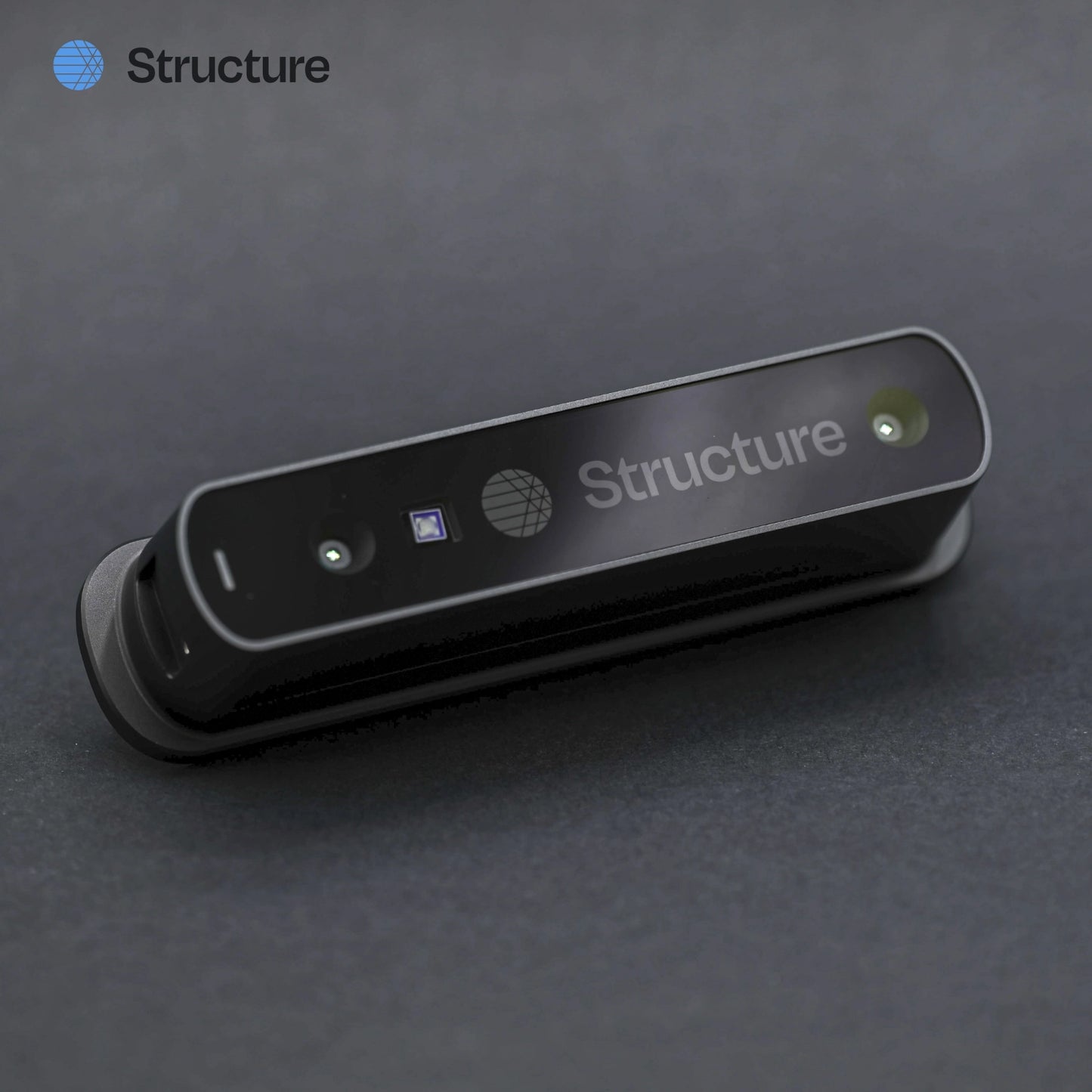
Structure Sensor 3 For iPad

Structure Sensor 3 For iPad

Regular price $875.00 USD
Regular price Sale price $875.00 USD
Sale Sold out

Durable, powerful, accurate scanning technology at your fingertips. The all-new Structure Sensor 3 toughens up with our most durable, longest-lasting and most powerful scanning platform to date. Push the limits of what’s possible with three times the battery life, a sensor redesigned with the rigors of your practice in mind, and more performance than ever.

  • Portable 3D scanning: Convert your iPad into a 3D scanner 
  • Built to be portable: 115.5 mm x 25.5 mm x 29.1 mm, weighing just 115 g
  • All day battery: 48 hours standby, 3.5 hours continuous
  • Easy to use: Tutorials and lessons provided to get you the best scans right out of the box

iPad not included. Please make sure you select the correct iPad model for best fit.

Quantity
View full details

Discover Structure Sensor 3

Good things come in 3's

Structure Sensor 3 opens up industry-leading scanning capabilities that let you capture the human body or any object with precision, translating the physical into the digital to power end-to-end 3D workflows.

3x the Performance

With an all-new neural processor, a fully redesigned sensor, advanced Structure SDK features, and anatomic landmark detection and measurements in Structure Cloud, Structure Sensor 3 is our most powerful platform to date.

3x the Battery

With triple the battery capacity, 20% less power consumption during scanning, and a custom designed heatsink with enhanced thermal dissipation, Structure Sensor 3 is ready to scan more patients than ever.

3x the Durability

With a 30% thicker housing, an integrated aluminum mounting plate, a rigidized internal chassis, and hundreds of hours of quality testing, Structure Sensor 3 is ready for the rigors of your practice.

What's Included

Package includes:

  • Structure Sensor 3
  • USB charging cable
  • Bracket for iPad
  • Lightning/USB-C cable
  • 1 Year License for Structure Capture

Powerful 3D Scanning in Your Pocket

Turn your iPhone or iPad into a high-precision 3D scanner with no need for any additional hardware. Structure Capture utilizes Apple’s TrueDepth technology to create accurate, high-resolution 3D scans. Export the CAD file (STL, OBJ, PLY) directly from your device to your preferred 3D modeling software for further refinement and product development.

Compatible Devices:

  • Any TrueDepth-enabled iPhone (iPhone X and higher and iOS 16.0 or later)
  • Any TrueDepth-enabled iPad (iPadOS 16.0 or later)
  • Structure Sensor (ST01, ST02, ST03)

Scan Samples

Body Scan

3D body measurement data for customized medical products.

Foot Scan

A 3D scan of a patient’s foot for Anatomic Landmark Detection.

Roller Skates

Created with Structure Sensor 3
App: Scanner - Structure SDK

Technical Specifications

* provided by Structure

Dimensions (W X H X D) 115.5 mm X 25.5 mm X 29.1 mm
Weight 115 g
Accuracy 1 mm
Precision 0.07 mm
Minimum distance 25 cm
Maximum distance 15 m
Operating temperature 0 to 35° C
IR Resolution (H X V) 1080 X 1200 (max)
Depth resolution (H X V) 1040 X 1200 (max)
Frame rate 30 fps (typical), 60 fps (max)
Battery life 3.5 hr+ (operation), 48 hr+ (standby)
Field of View (H X V) 50° X 59°
Illumination Class 1 Laser Projector
Operating wavelength 940 nm
Use Environment Indoors: Diffused light
Outdoors: Overcast skies or shade

FAQs

What iPad models are compatible with Structure Sensor 3?

With many iPad models on the market, it's unclear which ones are supported, and compatibility is essential to get the best performance out of the device.

Structure Sensor 3 also has its compatibility guide.

In general, we recommend customers to use 11-inch iPad Pro (M4), iPad 11th Generation, 11-inch iPad Air (M3), or iPad Mini 7th Generation.

What are the differences between Structure Sensor 3 and previous models?

Structure Sensor 3 represents a significant upgrade over the previous generation Structure Sensor Pro sensor in areas like battery life, outdoor viability, calibration stability, manufacturing simplicity, and processing power.

Key Differences:

  • Depth Range and Accuracy: Improved depth measurement and precision.
  • Field of View: Wider perspective for enhanced scanning capabilities.
  • Software Features: New and upgraded software functionalities.
  • Battery Life: Extended battery performance for longer usage.
  • Drop Resistance: Enhanced durability against impacts and falls.

For a detailed comparison, please refer to our sensor comparison guide.

What do the light sequences on my sensor mean?

Different light patterns indicate various sensor states:

  • Solid blue: Ready to use
  • Blinking blue: Connecting or updating
  • Green - Drawing power but not connected to an operating system or app.

For a complete list of planned light sequences and their meanings, see our Light Indicator Guide.

What file formats does Structure Sensor support?

The Structure SDK supports the following 3D file formats, with the flexibility for users to create custom formats:

  • OBJ
  • PLY
  • STL

For more information on supported formats and export options, visit Structure's support center.

How do I download and use Structure Capture?

  1. Go to the Structure Capture app on the App Store, and install the app.
  2. Once installed, explore the available scanning modes, such as Foot, Object, etc.
  3. Once you finish scanning and exporting the 3D model, you'll be prompted to purchase or redeem a code if you have one.

What devices are compatible with Structure Capture?

Currently, Structure Capture is only available on iOS devices (iPad and iPhone) with TrueDepth sensor. LiDAR support is coming soon!

iPhone

  • iPhone 12 Pro or later

iPad

  • iPad Pro 11-inch (3rd Generation or later)
  • iPad Pro 12.9-inch (5rd generation and later)

Which apps can I use with Structure Sensor 3?

Here is a list of apps that you can use with Structure Sensor 3: Which apps can I use with Structure Sensor 3?